As a LED strobe light supplier with over 12 years of hands-on experience, I’ve heard every version of the “my lights won’t sync” story from clients—from small wedding planners scrambling to adjust a stage setup two hours before a ceremony, to industrial maintenance teams troubleshooting a safety strobe array in a warehouse that’s already two days behind schedule. Sync issues are frustrating, and even minor misalignment can ruin a show, compromise a safety system, or lead to wasted time and money. That’s why I’ve put together this step-by-step troubleshooting guide, rooted in real-world field calls and service tickets we’ve resolved for thousands of clients across events, industrial, and commercial applications. LED Strobe Light
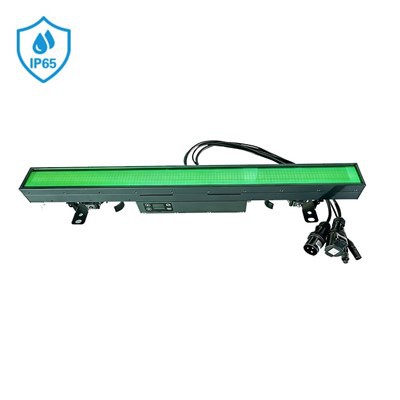
First, it’s critical to clarify what “syncing” actually means for LED strobe lights, because the fix depends entirely on the type of sync you’re working with. Most LED strobes use one of three sync protocols: wired sync (a physical cable linking all lights), wireless DMX (Digital Multiplex, the standard for stage and entertainment lighting), or self-sync (where each light syncs to a shared power signal). I’ve seen clients skip this first check, wasting hours troubleshooting the wrong system, so let’s start here.
If your lights use wired sync, the most common cause of failure is a loose or damaged cable. This is the easiest issue to check, so start here before diving into more complex problems. I recommend doing a physical inspection first—no fancy tools needed. Grab the light head of your strobe and gently wiggle the sync cable at both ends (the light’s port and the controller’s port). If you see the strobe flash randomly when you wiggle it, that’s your issue. Even subtle wear over time, especially if cables are coiled roughly or dragged across a floor, can fray internal wires inside the jacket, so don’t assume a cable looks fine just because the outer plastic isn’t cracked.
If the cables are tight, the next step is to test the ports on your strobes and controller. For wired sync, most LED strobes use a 3.5mm or XLR port, and these can collect dust, dirt, or lint over time—especially if they’re used in dusty industrial settings or outdoor events. Take a can of compressed air (or even a clean, dry cotton swab for small ports) to blow out any debris inside the port. I once had a construction client who spent three hours troubleshooting their safety strobes, only to find a single dust bunny blocking the sync port on one light; once we cleared it, the whole array synced in 90 seconds.
If wired cables and ports check out, move to your power supply, because LED strobes draw consistent voltage to sync properly. A common mistake is using an underpowered power supply for large arrays. Most standard LED strobes require 12V DC, but high-intensity models for stage or industrial use can need 24V or more. If your power supply’s wattage is too low, individual lights will flicker at different rates because they’re not getting enough consistent power. For example, a 10-light array of 10W strobes needs at minimum a 120W power supply (10 lights x 10W + 20% headroom for inrush current when strobes fire). If you’re using a power supply rated for 80W for that same array, you’ll get sync issues, period. We always advise clients to add 20% headroom to their power supply rating to avoid this, but I’ve seen it skipped so many times. To test this, try powering one strobe directly from a spare power supply that’s known to work—if it syncs alone but not in the array, your original power supply is the culprit.
Now, if you’re working with wireless sync—super common for events where running cables across a venue is impractical—the issues are a bit different, and I’ve seen even seasoned lighting directors get tripped up by this. First, check signal interference. Wireless sync (usually 2.4GHz or 5GHz for DMX wireless adapters) gets disrupted by all sorts of common equipment: Wi-Fi routers, Bluetooth devices, stage haze machines (yes, really, the particles in haze can block radio signals), even metal trusses used to hang your lights. A client of ours did a festival setup last year where 12 strobes wouldn’t sync, and it turned out a nearby Wi-Fi access point for the food vendors was operating on the same 2.4GHz channel as their wireless DMX adapter. Changing the wireless channel on the adapter fixed it in 10 minutes.
To test for interference, first move your wireless adapter to a different location—away from metal, other electronics, and haze machines. If you can, turn off all other Wi-Fi and Bluetooth devices in the immediate area, then check sync again. If that works, you can either change your wireless channel (most adapters let you do this via a simple control button on the unit) or invest in a higher-gain antenna for the adapter, which boosts signal strength and makes it less prone to interference.
Another common wireless sync issue for LED strobes is range. Wireless DMX has a maximum range of about 100 feet without a repeater, but that can drop to 50 feet in environments with lots of metal or concrete. If your master strobe or adapter is more than 100 feet from the farthest light, you’ll get partial sync or no sync at all. In that case, adding a wireless repeater (a small, affordable unit we supply specifically for our strobe lines) between the master and the farthest lights will extend the range and keep the signal strong. We often tell clients to place repeaters every 80 feet in large venues, and that’s fixed 90% of our wireless sync complaints for arrays over 15 lights.
Now, if your strobes use self-sync (meaning they sync to the AC power line’s frequency, common for small, portable strobes or decorative lights), the problem is almost always power-related. First, confirm the line frequency: most North American outlets are 60Hz, while Europe and most of Asia use 50Hz. If you’re running 50Hz strobes on a 60Hz line (or vice versa), they’ll all flash at different rates—because they’re syncing to the wrong frequency. That’s an easy fix: most self-sync strobes have a small dip switch on the back to adjust frequency, but if yours doesn’t, you may need to add a frequency converter if your location uses a different standard than your strobes.
Also, for self-sync strobes, avoid plugging them into the same circuit as other high-draw devices, like stage lights, coffee makers, or power tools. These devices cause fluctuations in the AC line’s frequency, which throws off the strobes’ sync. I had a bakery client a few months back who installed self-sync strobes for a window display, and they wouldn’t sync because the strobes were on the same circuit as the oven. Moving the strobes to a separate circuit fixed the issue.
Let’s move to controller-related issues, because even if your lights and cables are fine, a bad controller will kill sync. For wired sync, check the controller’s output: if it’s a basic manual controller, make sure it’s set to the correct strobe rate (hertz) for your application. Most sync issues happen when the controller is set to a rate that’s too fast for some strobes—lower-end strobes can’t flash faster than 10Hz, while high-end models can hit 50Hz or more. If you mix strobes with different maximum flash rates on the same controller, you’ll never get sync. That’s a key point: all strobes in an array must have the same maximum flash rate to sync, regardless of protocol. For example, if you have two 10Hz strobes and one 30Hz strobe, the 30Hz one will flash on its own, and the others will follow at 10Hz—no sync.
If you’re using DMX controllers for professional setups, check the DMX address assignment. Each strobe on a DMX line needs a unique address, but if two strobes have the same address, they’ll conflict with each other and lose sync. How do you check? For each strobe, go to its DMX address menu (usually via a small display or dip switches) and write down the number. If any duplicates exist, change one to a new unique number. This is a super common mistake for first-time DMX users, and we walk customers through it over the phone all the time.
Now, let’s talk about firmware or software updates, which are easy to forget but can be the root cause of sync issues. Many modern LED strobes—especially DMX models—receive firmware updates to fix sync bugs, add new protocols, or improve signal stability. If you haven’t updated your strobes’ firmware in over a year, it’s worth checking the manufacturer’s website (for our lights, we post free firmware updates on our support page). We had a band client last year who bought a batch of our DMX strobes in 2021, and they had a sync issue until we released a firmware update in 2022; updating the lights fixed the problem without any hardware changes.
Finally, if you’ve gone through all these steps and still have sync issues, it’s time to rule out hardware failure. LED strobes have internal components—like the sync receiver or driver board—that can fail over time, especially if they’re used in harsh environments (extreme heat, cold, or moisture). To test this, swap a strobe that’s not syncing with one that works; if the swapped light now fails and the old one works, you’ve found a bad unit. For our customers, we offer a 2-year warranty on all LED strobes, so if it’s a manufacturing defect, we’ll replace it free of charge.
Troubleshooting sync issues doesn’t have to mean replacing your entire array or calling a professional every time. Most problems are simple: a loose cable, dirty port, wrong frequency, or insufficient power. For all of our clients, we provide step-by-step troubleshooting guides with their strobe orders, plus 24/7 support to walk you through any issue.
If you’re prepping for an event, maintaining a safety strobe system, or upgrading your commercial lighting setup and are still running into sync problems, our team is here to help. We work with clients across industries to provide reliable LED strobe solutions, from small portable arrays to large industrial installations, and we can assist with troubleshooting, custom setups, or product recommendations tailored to your needs.
Outdoor LED COB Face Light References
- Digital Multiplex (DMX512) Protocol Standard, Entertainment Services and Technology Association (ESTA), 2016
- LED Lighting Fixtures: Power Supply Sizing Guidelines, Illuminating Engineering Society (IES), 2020
- Wireless Signal Interference in Commercial Lighting Systems, International Association of Lighting Designers (IALD), 2022
- Troubleshooting Synchronization Errors in LED Strobe Arrays, Journal of Lighting Technology, 2021
Guangdong New Start Lighting Co., Ltd.
Guangdong New Start Lighting Co., Ltd. is one of the most professional led strobe light manufacturers and suppliers in China. Welcome to wholesale durable led strobe light in stock here and get quotation from our factory. All customized products are with high quality and competitive price.
Address: No.2, Hubin Road, Jiaoxin Village, Shimen Street, Baiyun District, Guangzhou, Guangdong, China
E-mail: newstartkate@gmail.com
WebSite: https://www.newstartlighting.com/
